
Meld Studio
SAMMI interacts with Meld Studio through its WebChannel API, enabling remote control of scenes, layers, tracks and more — and listening to Meld events to trigger buttons in SAMMI.
Connect SAMMI to Meld Studio #
-
In SAMMI, click Connections in the bottom menu and select Meld Studio.
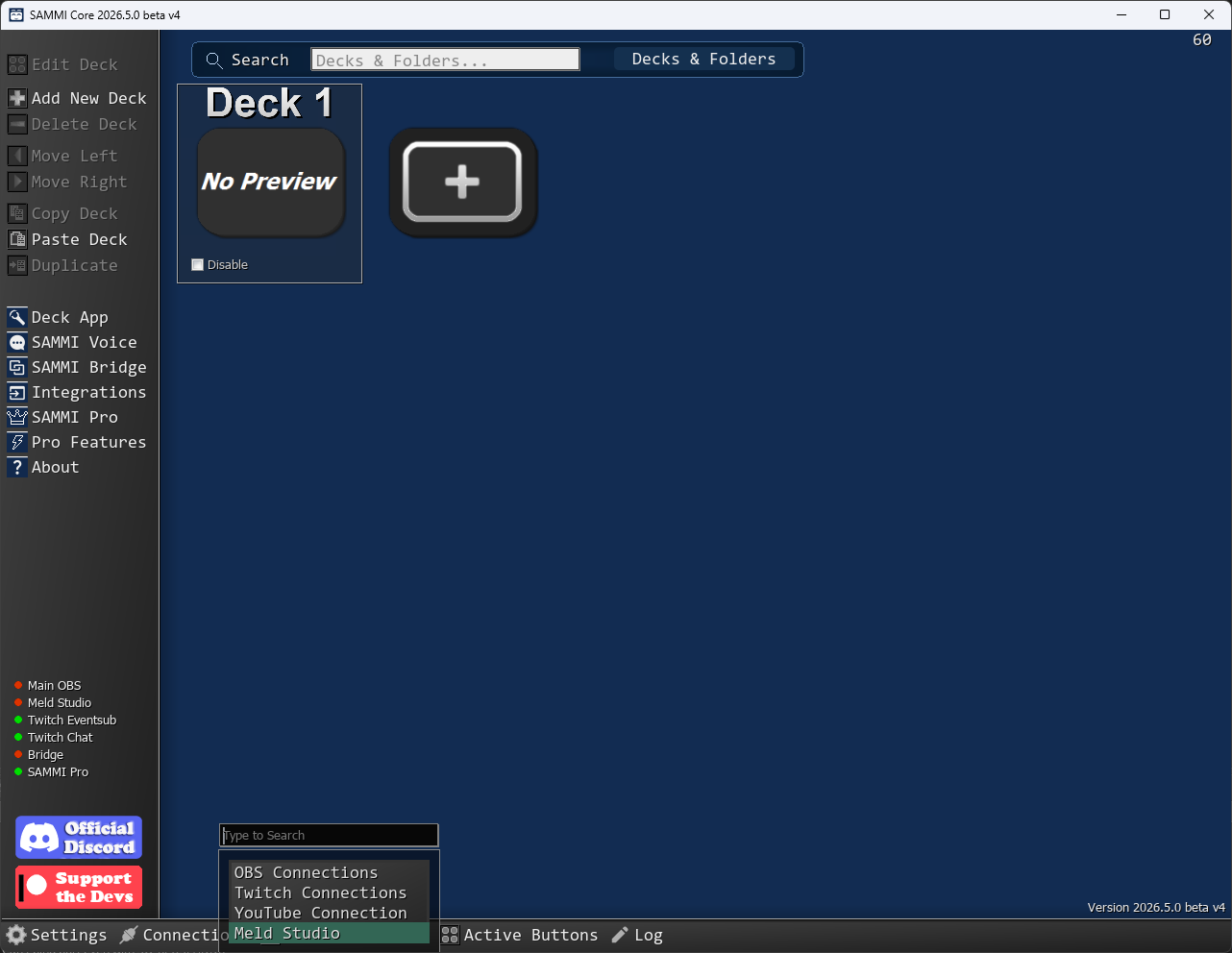
Opening the Meld Studio connection from the SAMMI Connections menu
-
The Meld Connection window opens. Click Connect to Meld — SAMMI will connect to Meld Studio running on the same machine.
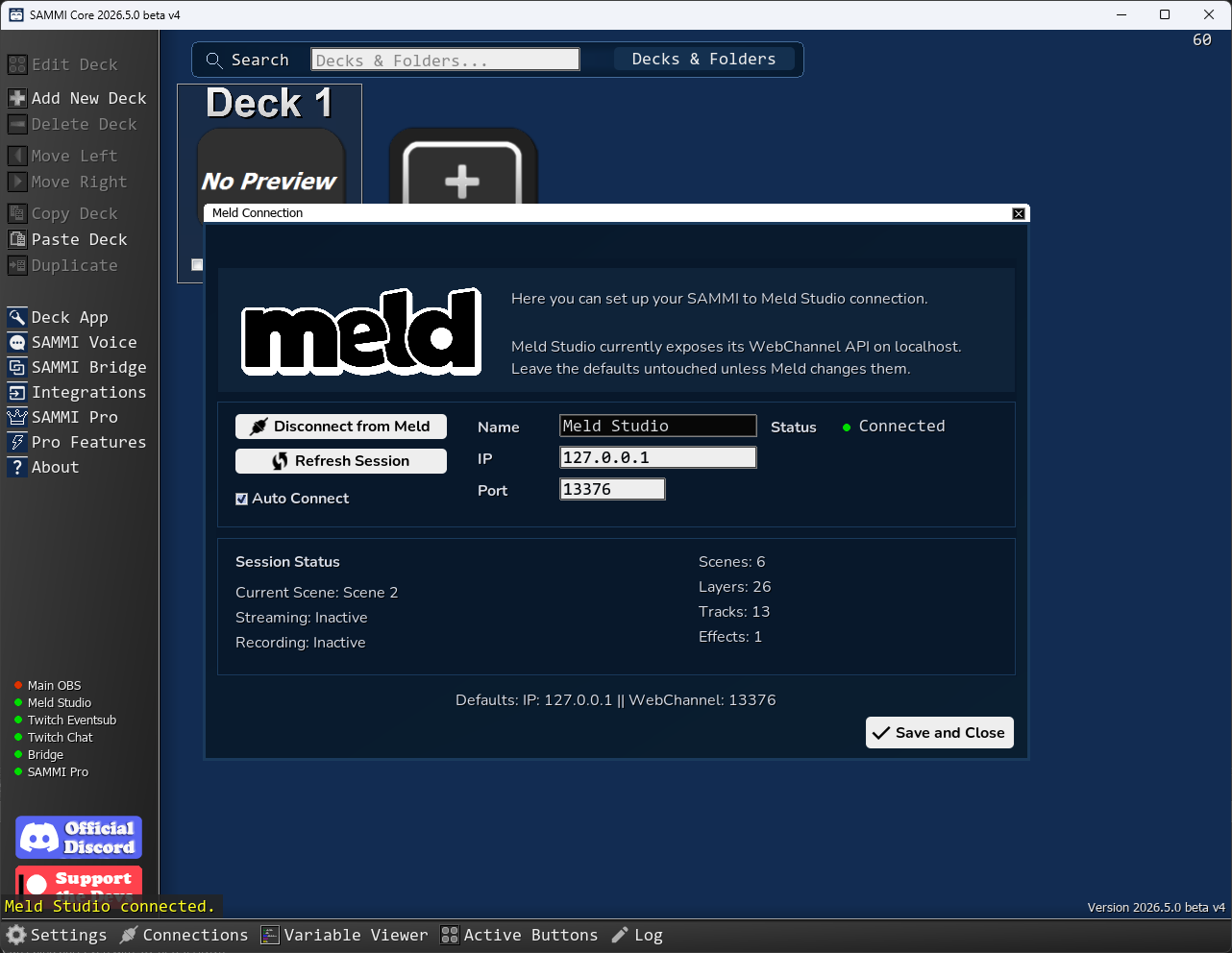
Meld Studio connection window in SAMMI showing connection status and session info
The default settings are:
- IP:
127.0.0.1 - Port:
13376(Meld’s default WebChannel port)
Leave these untouched unless Meld Studio is running on a different machine or you have changed the WebChannel port in Meld.
-
Once connected, the Status indicator turns green and the Session Status section shows your current scene, streaming/recording state, and scene/layer/track counts.
-
Check Auto Connect if you want SAMMI to connect to Meld Studio automatically every time it starts.
Control Meld Studio from SAMMI #
You can control Meld Studio using Meld Commands. Here is a practical example — a Swap Scene button that listens for a Twitch chat command like !swapscene Gaming and switches to the named scene in Meld:
1. Set up the Trigger
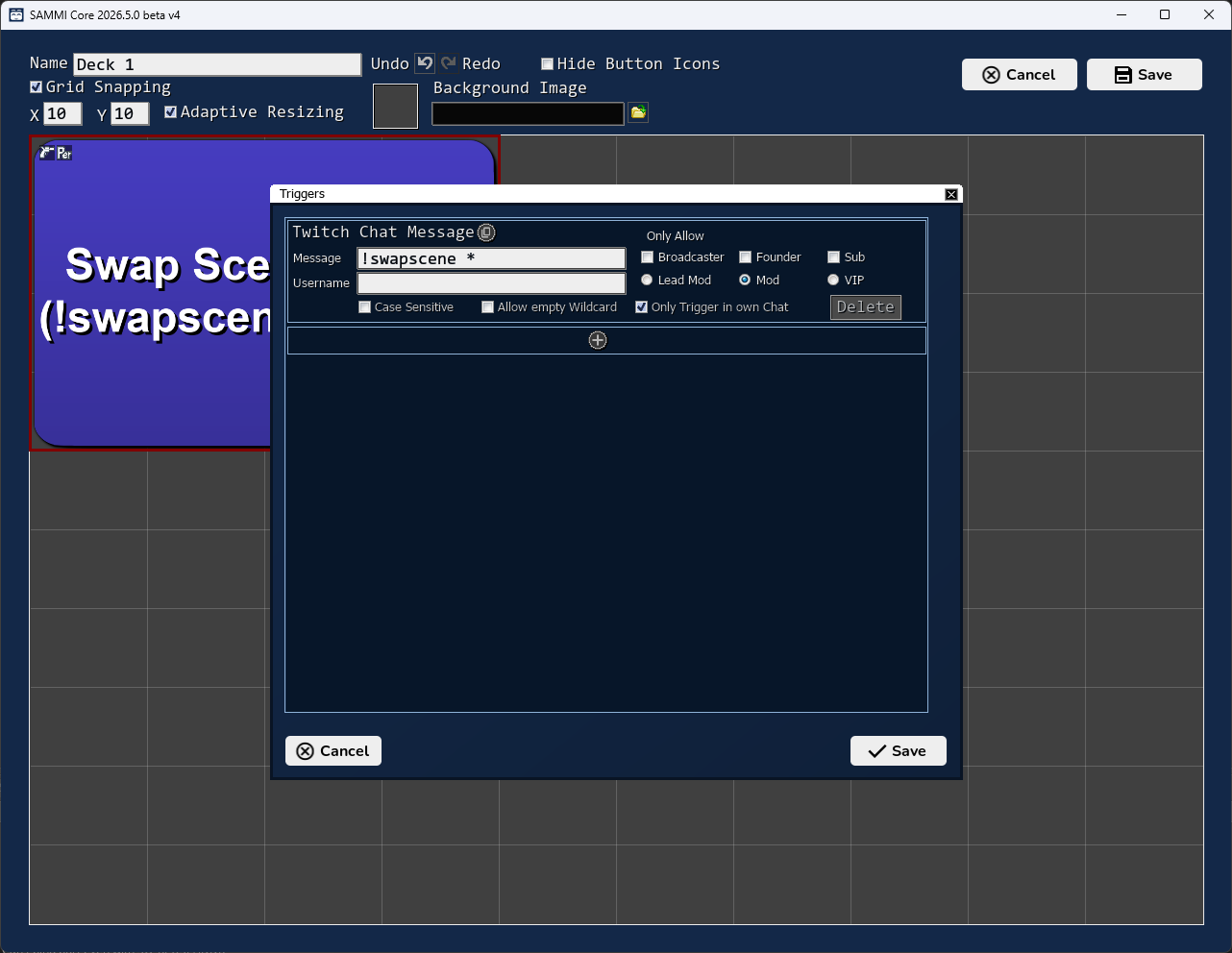
Open the button’s Triggers and add a Twitch Chat Message trigger. Set the message to !swapscene * — the * acts as a wildcard that captures the scene name typed in chat.
2. Add the Commands
In the button’s Command Editor, add:
- Pull Wildcard — saves the first wildcard value (
*) assceneName - Meld: Show Scene — uses
/$sceneName$/as the scene name to switch to
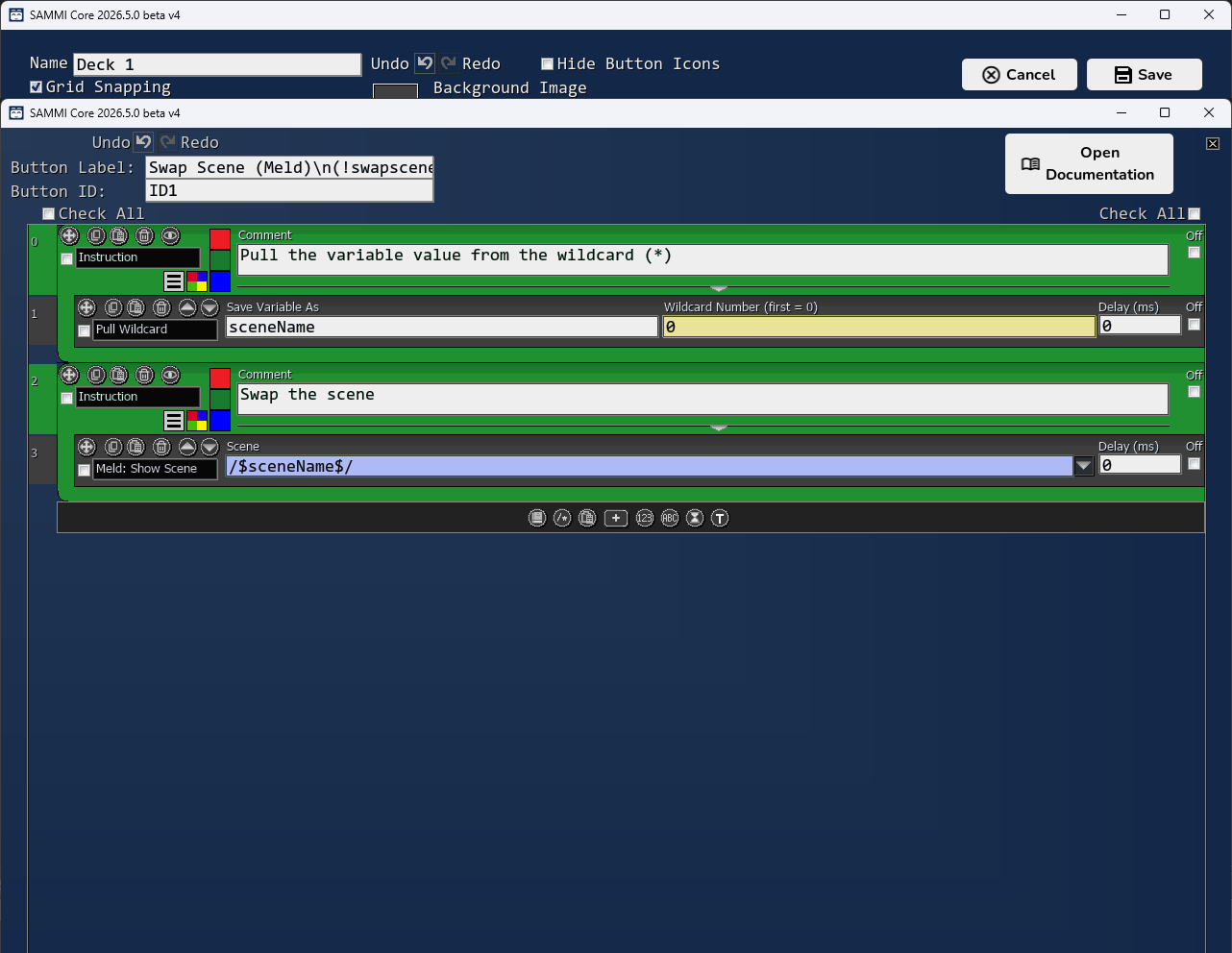
When a moderator (or you) types !swapscene Gaming in chat, SAMMI pulls Gaming from the wildcard and tells Meld Studio to switch to that scene immediately.
Meld Commands & Triggers #
For the full list of all available Meld commands and triggers, see:
- Meld Commands — control scenes, layers, tracks, streaming, recording and more
- Meld Triggers — react to Meld events such as scene changes, stream start/stop, layer created and more